Side-by-side or overlay PDF diff driven by one engine that reads each file into a structured model — text, vector geometry, images, form fields, annotations — and compares the models. Moves show as moves, edits show only where they happened, and any PDF type works without picking a mode.
Open a STEP / STP part and it measures itself — volume, thinnest wall, draft and undercut checks on load, plus hole detection with a BOM. Measure, section, export STL. Rust + WASM B-rep kernel, runs in your browser.
A document review rarely ends with the reviewer. A partner signs off on it, a contractor prices from it, and an auditor or a court may read it months later. That next reader was not there when the comparison ran. All they have is what you hand them.
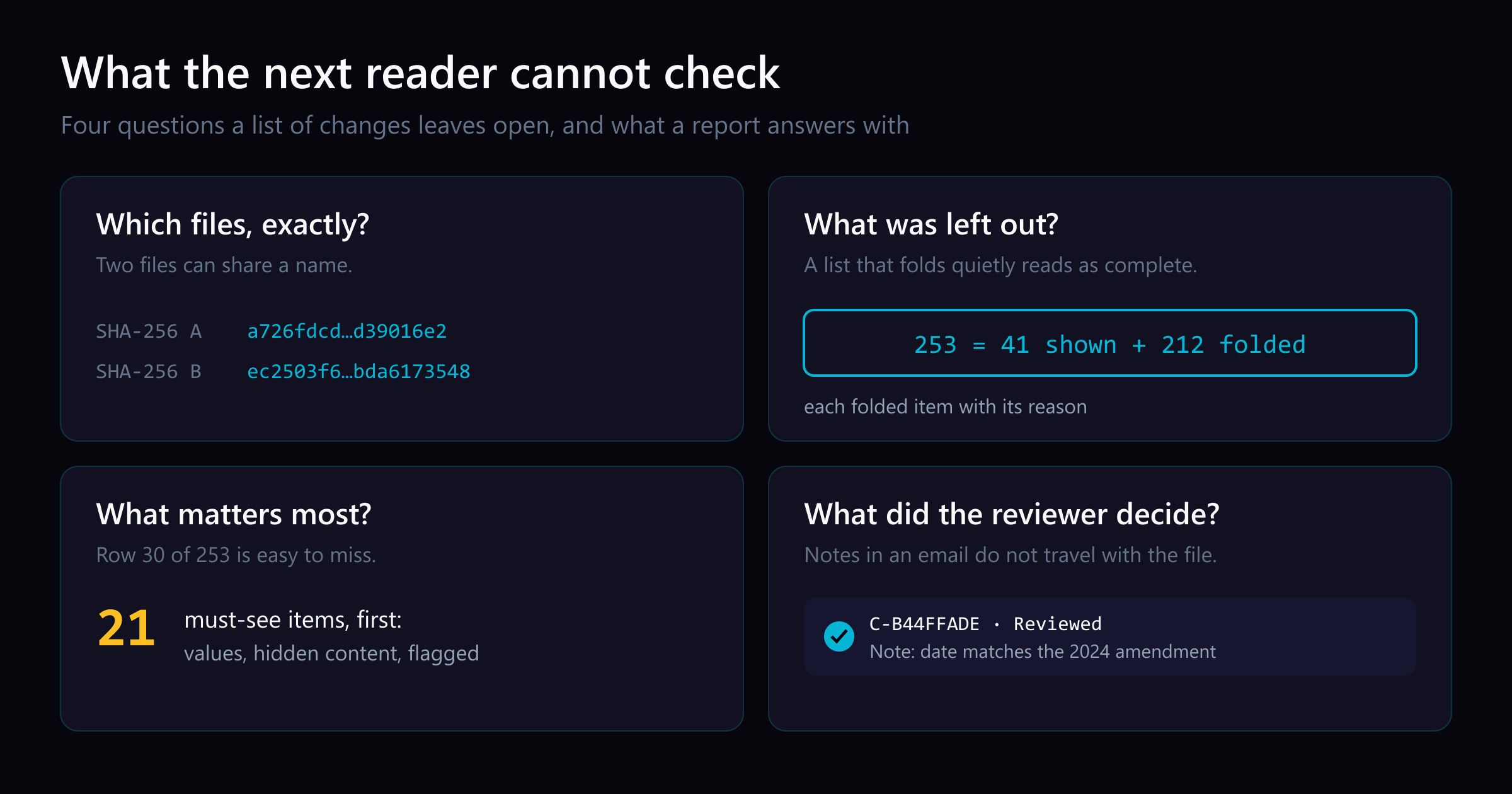
A list of changes leaves four questions open. Each one is a way a careful review can be doubted, or can quietly go wrong, after it leaves your hands.
1. Which files were compared?
Files get renamed, saved again, and sent again. The “Final_v3.pdf” in your email may not be the “Final_v3.pdf” that was signed. A file name cannot tell the next reader which bytes you compared.
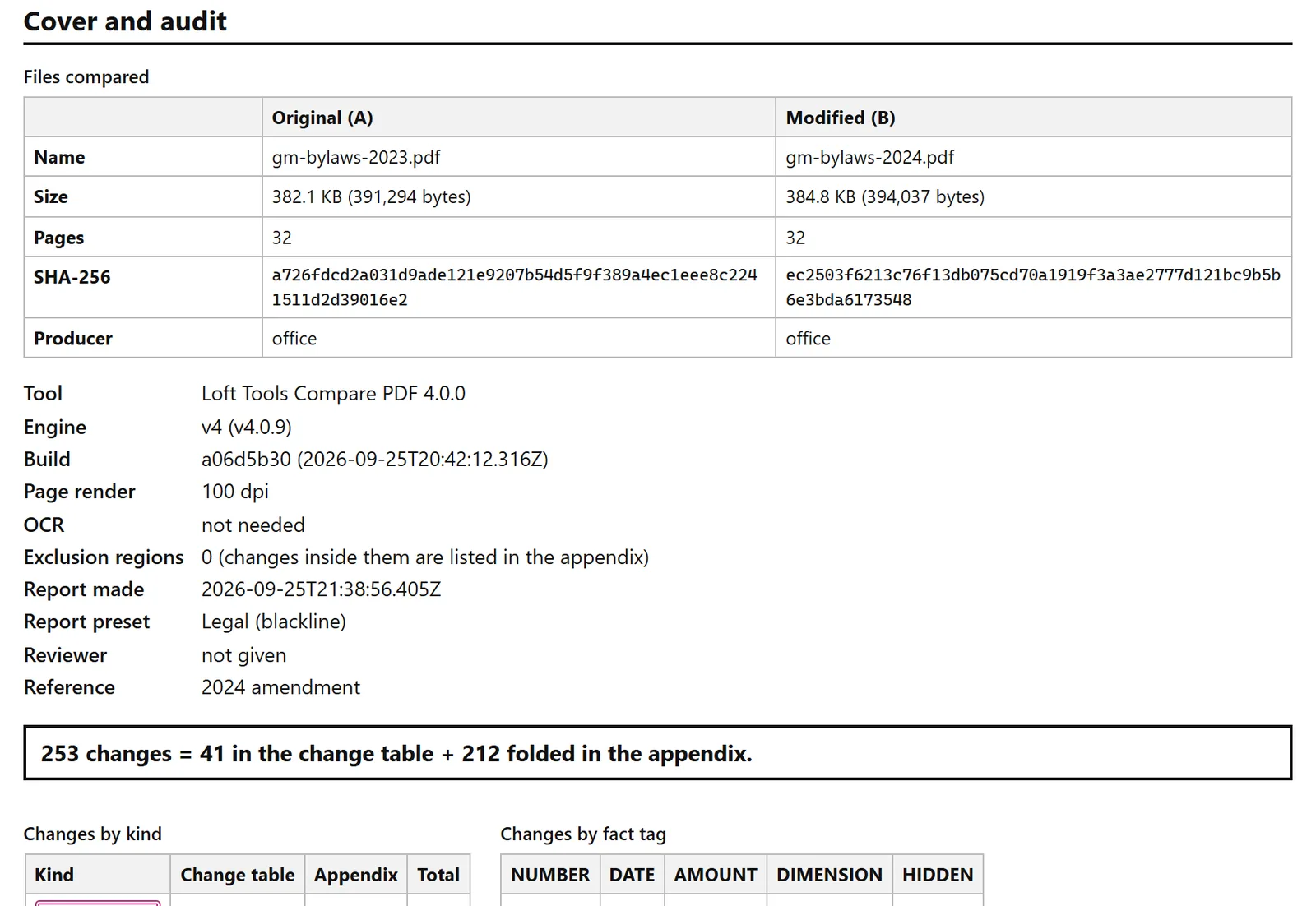
A hash can. A SHA-256 hash is a 64-character fingerprint of a file’s bytes: change one byte and the whole hash changes. Compare PDF’s report puts both files’ hashes on its cover, with their sizes and page counts, the build that ran, and the settings used.
The cover of a report on a company's bylaws, 2023 against 2024. Public SEC filings, Legal preset.
Anyone who holds a copy can check it against the cover. On macOS or Linux:
shasum -a 256 gm-bylaws-2024.pdfec2503f6213c76f13db075cd70a1919f3a3ae2777d121bc9b5b6e3bda6173548 gm-bylaws-2024.pdf
On Windows, certutil -hashfile gm-bylaws-2024.pdf SHA256 prints the same value. If it matches the cover, the reader is holding the file you reviewed.
2. What was left out?
Every compare tool leaves something out of its main list, and it should: text that moved because a paragraph above it grew is not an edit. On the bylaws, 212 of 253 differences are like that: 175 layout shifts, 32 header or footer edits repeated on every page after the first, and 5 pieces of a longer edit already listed as one change.
The danger is a list that folds quietly. Forty-one rows look like a complete answer, and the next reader cannot tell that 212 were set aside, or why.
The report states the sum on its cover: 253 changes = 41 in the change table + 212 folded in the appendix. The appendix lists each folded item with its reason. The table and the appendix are built from one list, so the numbers always add up. If you excluded a region of the page on purpose, the cover counts the exclusion regions, and the appendix lists what they held.
3. Which changes carry the stakes?
A change table in page order puts a changed payment date at row 30 of 253, with the same weight as a moved heading. The next reader skims it, as anyone would.
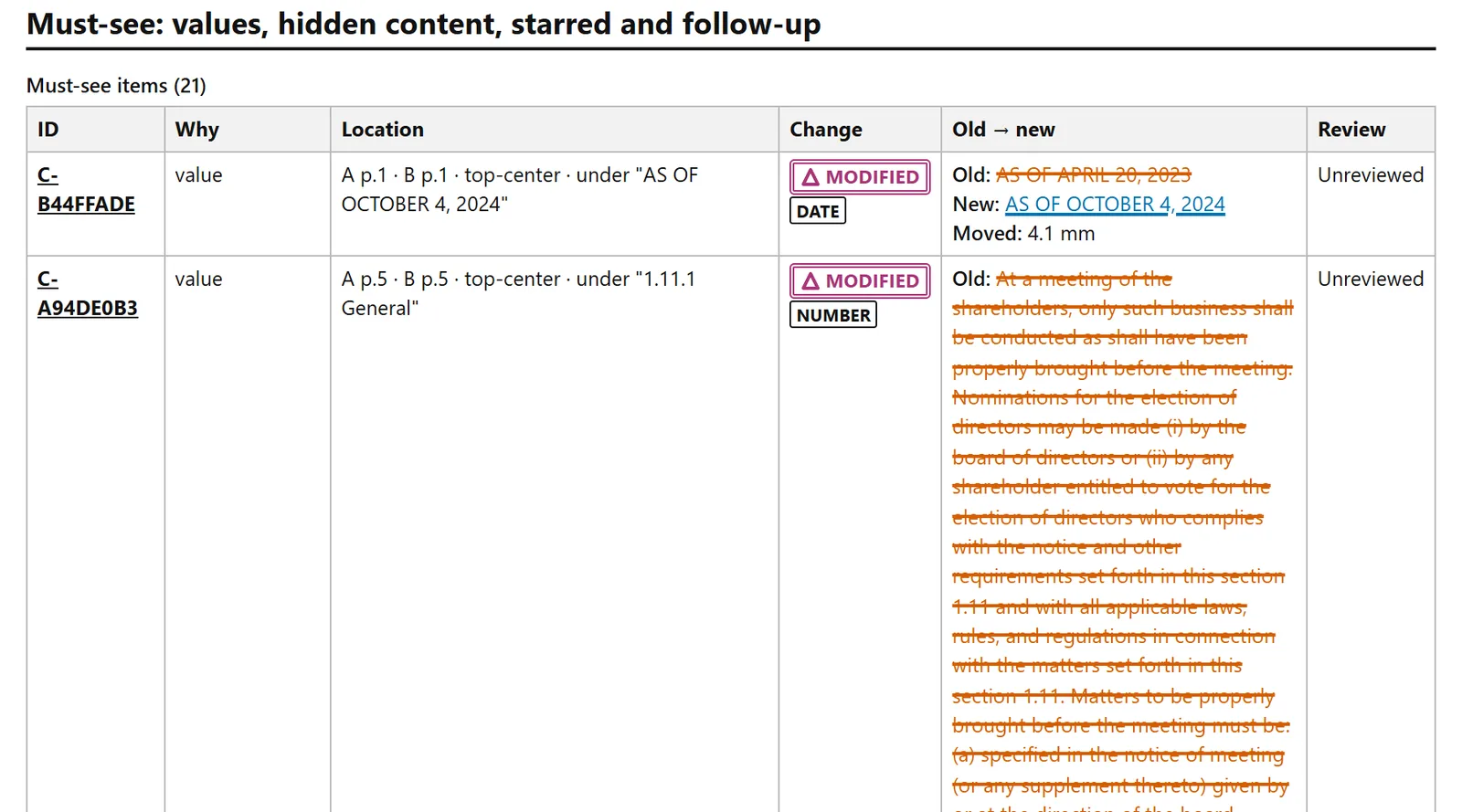
The report opens with a must-see section instead: every changed number, date, amount, and dimension, any hidden content, and anything the reviewer starred or flagged. On the bylaws, that is 21 items, before the long table.
Deletions struck through and insertions underlined, in the same report.
The styling follows the blackline convention: deletions struck through, insertions underlined. At least one federal court’s local rules require it for an amended filing, and it reads in black and white, which matters for a report that will be printed or photocopied. Every kind of change also carries a text tag and its own mark, so colour is never the only signal.
4. What did the reviewer decide?
A review is a set of decisions: this change is fine, this one needs a follow-up, this one matters. Those decisions usually live in the reviewer’s head or in an email, and they do not travel with the file.
In Compare PDF, each change carries a review mark, a star, and a note, and the report prints them beside the change. Each change also keeps one ID in the report, the CSV, the JSON, and the marked-up copy, so “see C-B44FFADE” points everyone to the same change. Here is that change as the CSV export writes it, cut short:
Every row names its format first, so a sheet cut from the file still says what it is.
Read in the reader’s order
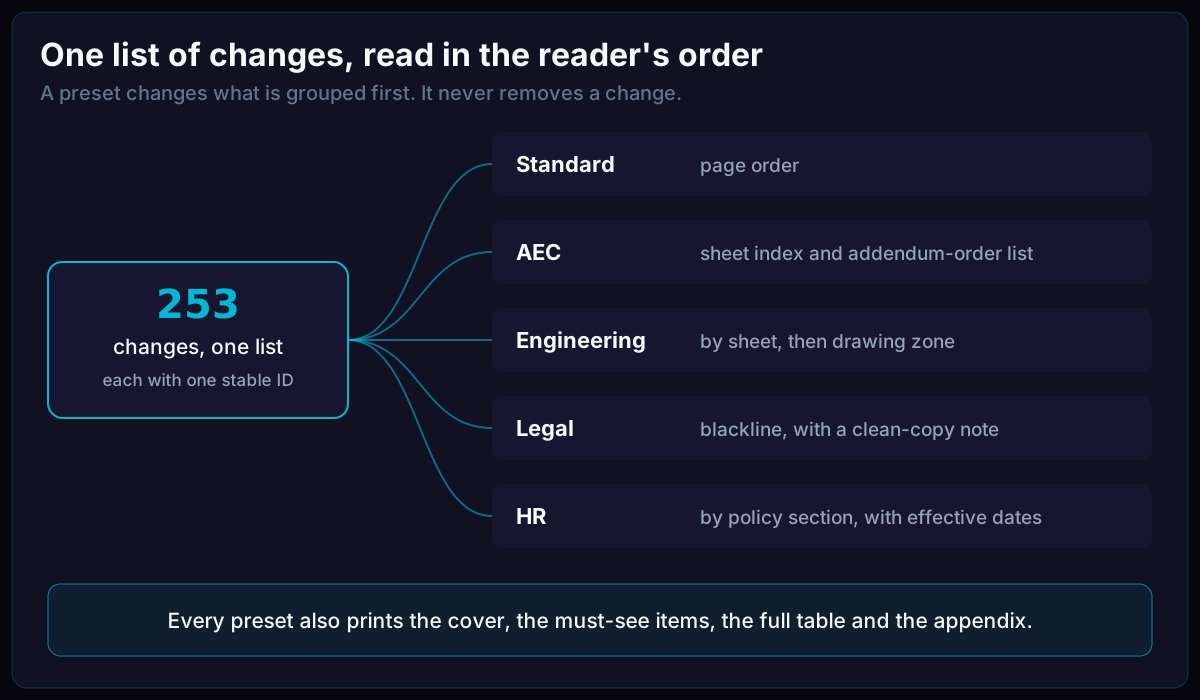
The next reader also has an order of their own. A contractor reads an addendum sheet by sheet, in the order the addendum lists them, and state procurement guidance documents that convention. A lawyer wants the blackline, with the clean copy named. An HR reader wants changes by policy section, with each version’s effective date.
A preset changes what is grouped first. The cover, the must-see items, the full table, and the appendix are in every report.
What a report cannot prove
A hash proves which bytes were compared, not that every change in them was caught. A report supports a careful review of the documents; it does not replace one. Its cover also states one limit of its own: the PDF report is not tagged for screen readers, and the HTML report made from the same compare is the accessible version.
You can make a report with a hashed cover, a must-see section, and a folded-items appendix from your own files in Compare PDF.
References
Amended Documents — U.S. District Court, District of Maryland (accessed 2026-09-24)
Preparation of Addenda — Wisconsin Department of Administration, Division of Facilities Development (accessed 2026-09-24)